
Instant Access
Unlimited Download
Easy AI One Page Website Pro Builder
Original price was: $39.95.$9.95Current price is: $9.95.
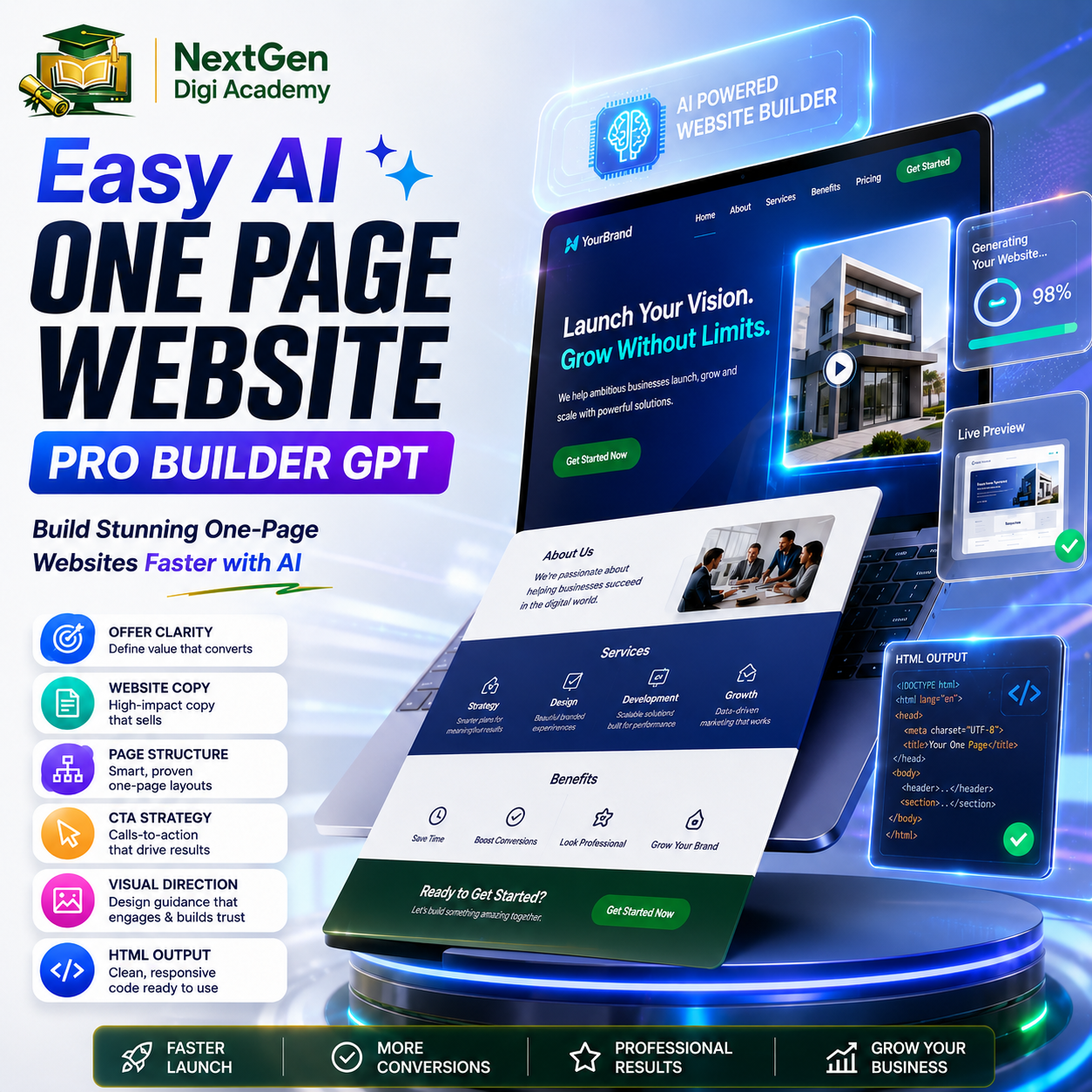
Create a professional one-page website faster with the Easy AI One Page Website Pro Builder with ChatGPT. This AI assistant helps you clarify your offer, write persuasive website copy, structure your page, plan visuals, strengthen calls to action, and generate HTML for a polished landing page.

What You'll Find in Our Store:
✅ Practical & ready-to-use digital resources.
✅ Learn at your own pace, anytime.
✅ Instant access - no waiting, no shipping.
✅ Secure and trusted checkout.
✅ Built for real business needs.
✅ No hidden fees ever.

100% Secure Payment
Safe & Fast Checkout
Instant Access
Access Anytime, No Limits

Best Prices & Deals
Save Big on Our Site

Friendly Support
Here When You Need Us

Easy AI One Page Website Pro Builder - Product Details
Plan your page, write your copy, and create a website draft with AI guidance inside ChatGPT.
Have a product, service, book, or course to promote, but aren’t sure what your website should say? Easy AI One Page Website Pro Builder helps you turn your idea into a focused one-page website with a clear message and a next step for visitors.
Start by telling the builder what you offer, who it’s for, and what you want visitors to do. It can help you choose the right sections, write the copy, suggest colors and image placement, and generate HTML for a page you can preview and refine.
Before you buy: This download is a ChatGPT plugin. The setup instructions are for customers using ChatGPT Plus or Pro on the web with access to plugin ZIP uploads. A Free account is outside the supported setup for this product. Your ChatGPT subscription is separate from your purchase. If you’re unsure about access, sign in at chatgpt.com and check whether Plugins → Add ZIP file is available before purchasing.
What you can build
Create a landing page for a service, a sales page for a digital product, a book or course promotion page, or a simple site for your local business. You can also plan a page for an event, newsletter signup, lead magnet, portfolio, or coaching offer.
The builder helps you put the page in an order that makes sense: get attention, explain the offer, build trust, and invite visitors to act. You can use it to:
- Clarify your offer and write a headline that speaks to your audience.
- Draft benefit statements, service descriptions, FAQs, and contact sections.
- Write buttons and calls to action for booking, buying, signing up, or requesting information.
- Plan your colors, logo placement, and visuals.
- Generate an
index.htmldraft for a one-page site or improve the copy and layout of an existing page.
It’s a practical starting point for entrepreneurs, authors, coaches, consultants, freelancers, and small business owners who want to get a first version ready without staring at a blank page.
How to download and install the plugin
- Download the plugin ZIP from your private purchase delivery page or order email. The package includes
Plugin-Use-Instructions.txt. If you extract a copy to read the guide, keep the original ZIP intact for installation. - Sign in to ChatGPT on the web using your own Plus or Pro account with plugin ZIP upload access.
- Open Plugins → Add ZIP file. Select the Website Builder ZIP and follow the on-screen prompts. Upload the
.zipfile itself. - Open the installed Website Builder and select Try in chat to start your first project.
How to create your first page
Tell the builder your business or product name, your target audience, your preferred style or colors, and the main action you want visitors to take. If you already have a booking, checkout, or signup link, include it. If you’re still deciding what to put on the page, ask the builder to help you plan the sections first.
Try this starter prompt:
Help me build a mobile-friendly one-page website for my bookkeeping service. My audience is local small business owners, and my main goal is to get visitors to schedule a consultation. Use navy and white. Include a headline, three service sections, an FAQ, and a booking button. Mark the booking link as a placeholder until I provide the real URL. Give me a downloadable
index.htmland a short publishing guide. Do not publish the site.
Once you see the first draft, ask for specific changes: “Make the headline clearer,” “Shorten the service descriptions,” or “Make the booking button easier to find on mobile.”
How to preview and publish your page
Open the downloaded index.html in your browser. If you requested a website ZIP, extract it on your computer and open index.html from the extracted folder. The plugin ZIP installs the builder in ChatGPT; the website ZIP contains the files for your page.
Before you publish, check the layout on desktop and mobile, replace placeholder content, verify your business details, and test every link and button. Hosting and publishing are separate. When the page is ready, publish it through a hosting provider or website platform that supports your files.
Need help or an updated copy?
Contact Support@NextGenDigiAcademy.com for product support. Include your order number, the ZIP filename, and the step where you got stuck. If you received an error, include the exact wording or a screenshot.
Your installed plugin is a separate copy. Updates don’t install automatically, so contact Support if you need the latest package or help updating.
How It Works
1. Choose the Resource That Fits Your Goal
Browse a curated collection of courses, ebooks, and digital tools built for practical business use. Each product page clearly explains what you will get, who it is for, and how it helps you apply the knowledge in real situations.
2. Get Instant Access After Checkout
Once your purchase is complete, you get immediate access to your materials. No waiting and no setup headaches. Everything is available in your account right away so you can start learning or using the resources immediately.
3. Learn at Your Own Pace
Go through the content whenever it suits you. Watch lessons, read guides, or use the tools on your own schedule. You can pause, revisit, and move forward at a pace that works for your workflow.
4. Apply What You Learn Right Away
Every resource is designed to be practical and action focused. Use the strategies, templates, or tools directly in your business, projects, or daily operations without overthinking or unnecessary theory.
5. Build Skills You Can Reuse Anytime
Your access does not expire. Come back whenever you need a refresher, apply the same frameworks to new projects, or reuse the materials as your business grows and evolves.

Learning That Fits Your Business
✅ Built for Real Business Use
Every course, ebook, and tool is created to solve practical problems and support real-world business decisions.
✅ Instant, Lifetime Access
Get immediate access after checkout and revisit your materials anytime as your skills and needs grow.
✅ Secure & Trusted Checkout
All payments are processed through trusted providers with secure encryption for a safe purchasing experience.
✅ Support That Actually Helps
Questions about access or usage? Our support is here to help you get value from what you buy.
Reviews
Product Details
How It Works
Why Choose Our Store?
Reviews
Smart Learning
Smart learning for individuals and businesses
Digital Resources
Exclusive business ebooks and resources
Online Tools
Useful free tools for daily online tasks

Featured Courses





Reviews